aerOS Management Portal
Introduction
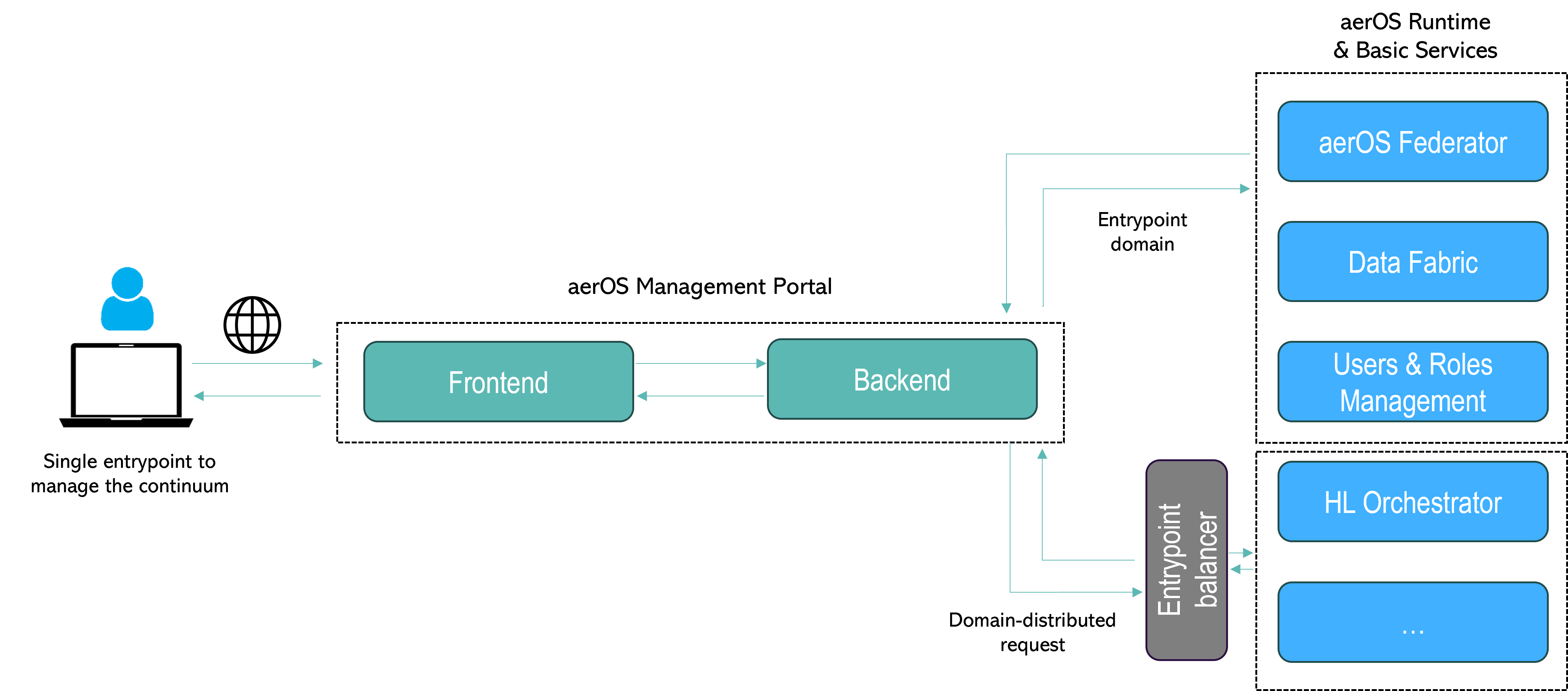
The Meta-OS developed in aerOS must be managed by end users through the use of a common and recognisable interface, as in a traditional operating system, in which users can use a terminal or a command shell for this purpose. Therefore, it have been decided to create one component to act as a single window for end users to manage the Meta-OS: the aerOS Management Portal.
This user-friendly dashboard, developed as a modern Single-page web application (SPA), acts as a frontend for performing operations regarding the Meta-OS, which are finally performed by the aerOS Basic Services in the background. For instance, an administrator can confirm the addition of a new domain or of a new IE to the continuum using the portal, but the inclusion of this domain is managed by the aerOS Federator component. The interaction between the User Interface (UI) of the Management Portal and those basic services is undertaken by the backend of the aerOS Management Portal. Furthermore, this dashboard displays useful information gathered by these services to inform users of the status of the continuum (topology graph of the added domains, deployed services, state of domains and their IEs, etc) in real time. Finally, it is important to highlight that this portal does not add new capabilities to the Meta-OS, but leverages the capabilities offered by aerOS to respond to user requests from a functional point of view. It, however, serves as the single window access for interacting with the continuum.
Components
Features
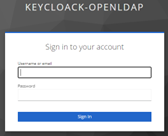
Access with various user profiles validated by aerOS AAA.
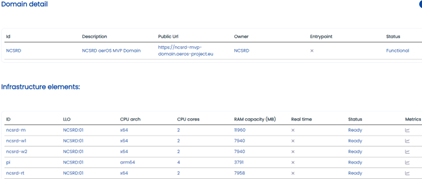
Observation of all IEs and domains in the form of a table.

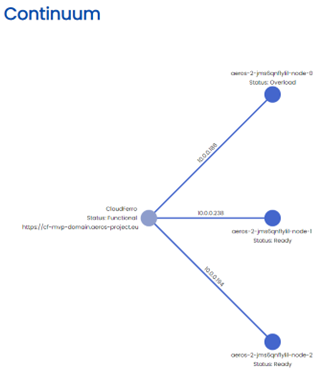
Visualization of the topology of the continuum in the form of a graph.
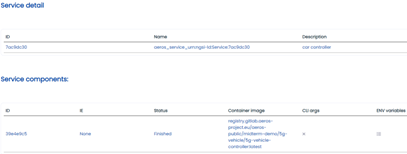
Observation of all deployed services and their underlying components in the form of a table.

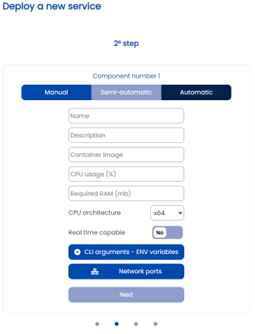
Description of a service to be orchestrated using a guided form.
Commissioning the orchestration of a service.
Installation
The aerOS Management Portal is installed as a whole instead installing each internal component separately.
Warning
A Client must be created and configured in Keycloak to allow users to login to the portal.
The users and roles must be previously configured in OpenLDAP and in Keycloak.
Kubernetes
The installation is done using Helm chart, so first, check the frontend.keycloak and backend.envVars.keycloakUrl objects of the values file to edit them if needed:
Expose via NodePort:
helm install management-portal aeros-common/management-portal --set frontend.service.ports.web.nodePort=<nodePort> --debug
Expose via Ingress (default ingress configuration, please check the values):
helm install management-portal aeros-common/management-portal --set frontend.ingress.enabled=true --debug
Docker
Create a config folder, download the keycloak.json and managementportal.conf files inside it. Then edit both files.
wget --header "PRIVATE-TOKEN: <token>" https://gitlab.aeros-project.eu/api/v4/projects/65/packages/generic/management-portal/1.1.0/keycloak.json
wget --header "PRIVATE-TOKEN: <token>" https://gitlab.aeros-project.eu/api/v4/projects/65/packages/generic/management-portal/1.1.0/managementportal.conf
Download the Docker compose file and edit it.
cd ..
wget --header "PRIVATE-TOKEN: <token>" https://gitlab.aeros-project.eu/api/v4/projects/65/packages/generic/management-portal/1.1.0/docker-compose.yaml
Run the Docker compose file.
docker compose up -d